Body Journey Out Now on iOS: Track Every Rep with Custom Workout Logging
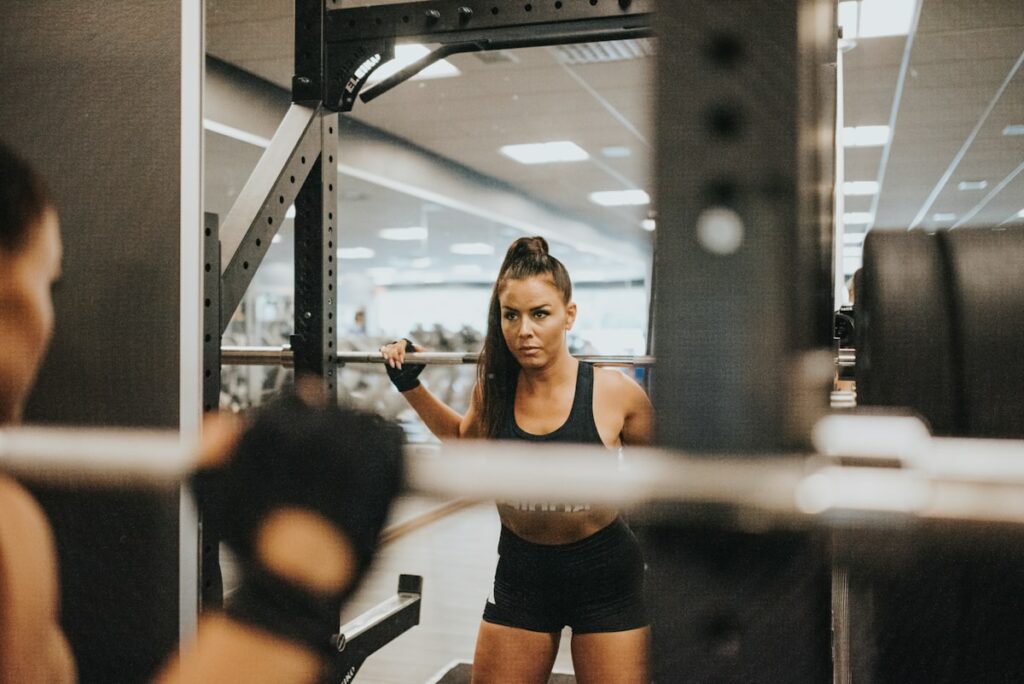
The iOS application integrates custom rep tracking alongside AI-powered fitness tools to analyze your sets.
The wait is over. Body Journey is officially out now on iOS. We built this app because we were tired of choosing between overly simple note-taking apps and bloated, expensive fitness platforms. You deserve a tool that gets out of your way and lets you focus on what matters: your progress.
To celebrate the launch, we are spotlighting the feature that sits at the heart of the Body Journey experience: Custom Workout Logging. It is time to ditch the notebook and track your training with precision.

The Problem with Traditional Tracking
If you have been lifting for a while, you know the struggle. You write your workouts in the Notes app, but it is a mess of dates and numbers that are impossible to analyze. Or maybe you use a “smart” gym logger that forces you into their rigid templates and demands a subscription just to see your history.
You need flexibility. You need to be able to swap exercises on the fly, track RPE (Rate of Perceived Exertion), and see exactly what you lifted last week without digging through endless menus. Most apps make logging a chore, which distracts you from the actual work.
Meet Custom Workout Logging
Body Journey’s workout logger was designed by lifters, for lifters. It combines the freedom of a blank notebook with the power of data analytics. Whether you are following a strict powerlifting program or just hitting the gym by feel, Body Journey adapts to your style.
What It Does: It lets you create, log, and analyze workouts with complete freedom. Track sets, reps, weight, RPE, and rest times in an intuitive interface.
Why It Matters: Progressive overload requires accurate data. You cannot improve what you do not measure.
Who It Is For: Anyone serious about getting stronger, from beginners to advanced athletes.
Download Body Journey and experience the difference today.
How to Log Your First Workout
Ready to start tracking? Here is how to log a session in Body Journey.
Step 1: Open the Workout Tab
Tap the “Workout” icon in the bottom navigation. This is your command center. You can see your scheduled sessions, create a new template, or start an empty workout on the fly.
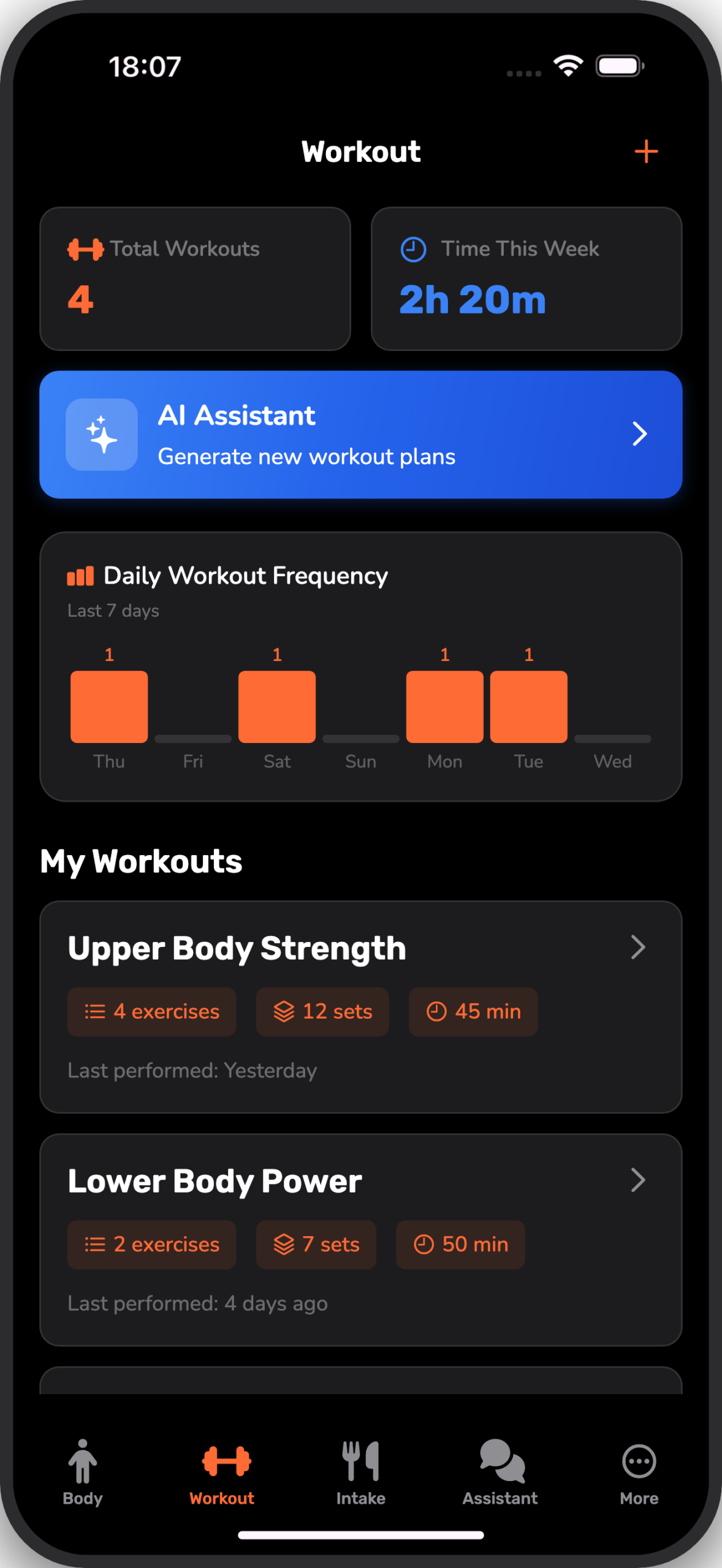
What You Will See: A clean dashboard showing today’s plan. Tap the “+” icon to build a new routine or select a template you have already created.
Step 2: Track Your Sets
Once you are in a session, the interface is distraction-free. Add exercises from our extensive library and start logging. The app remembers your previous weights and reps, so you always know your target.
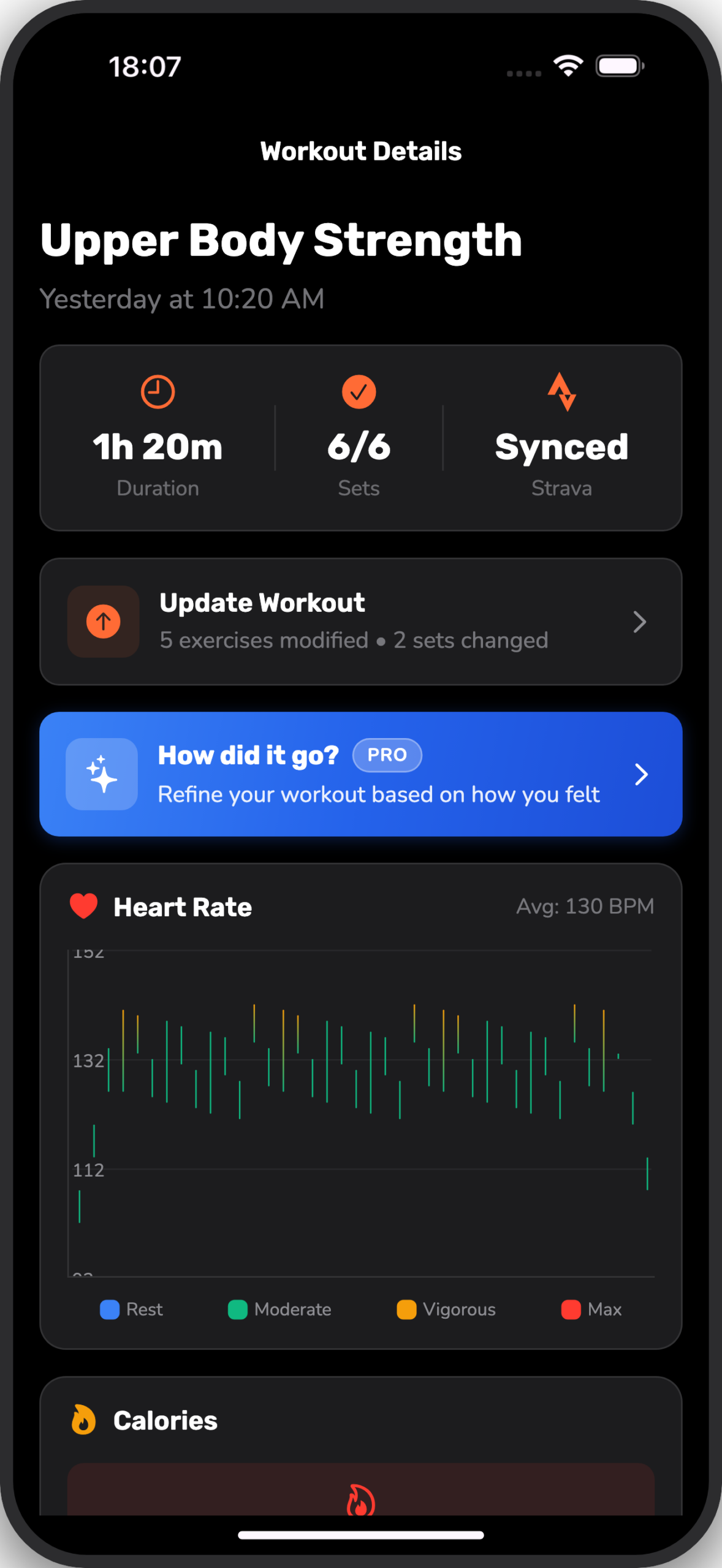
What You Will See: Clear input fields for weight and reps. You can also tap the RPE selector to record how hard the set felt (1-10 scale). The built-in rest timer automatically starts when you check off a set.
Step 3: Review Your Summary
After you crush your last set, finish the workout to see your summary. Body Journey calculates your total volume, duration, and even estimates calories burned based on your heart rate (if integrated with Apple Health).
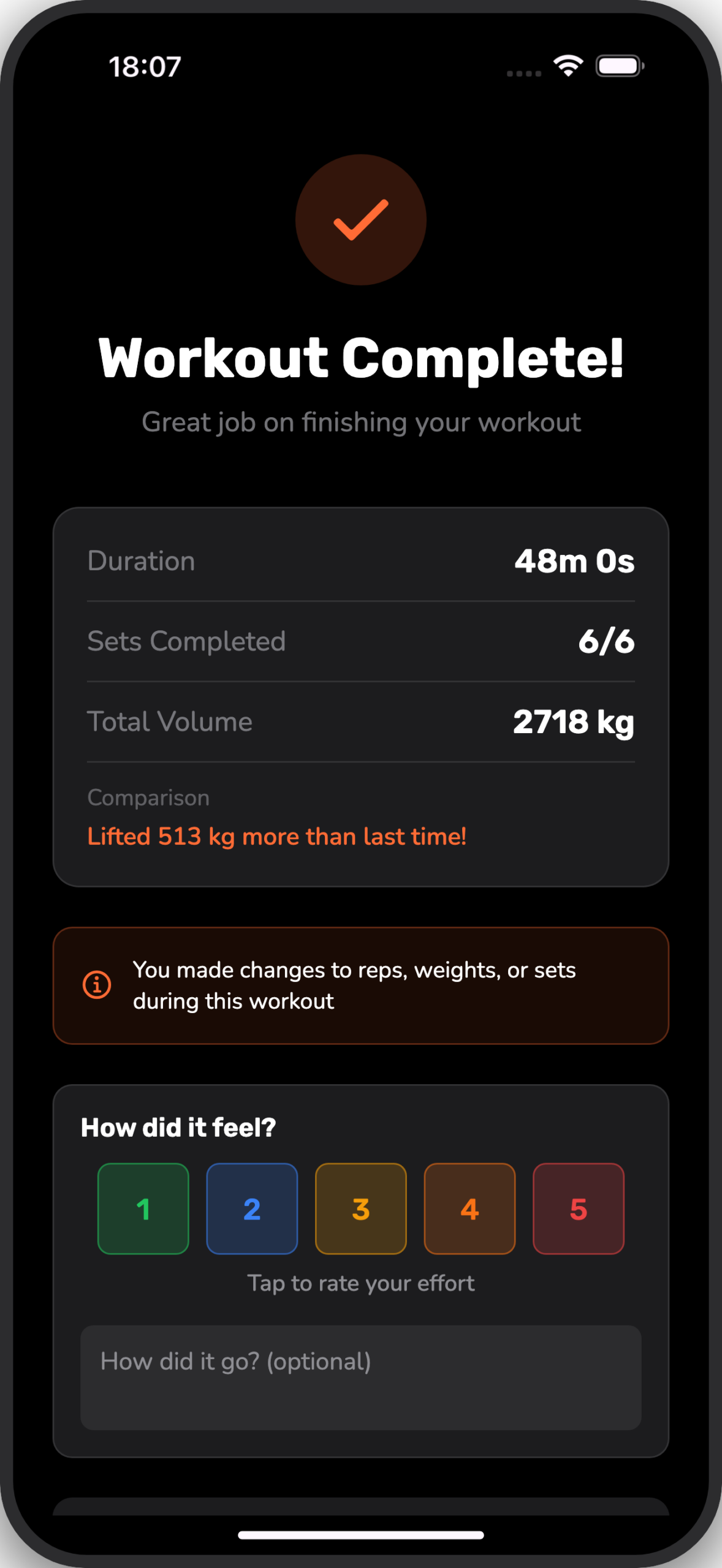
What You Will See: A breakdown of your session stats, including any personal records (PRs) you set. It is the perfect moment to celebrate your effort.
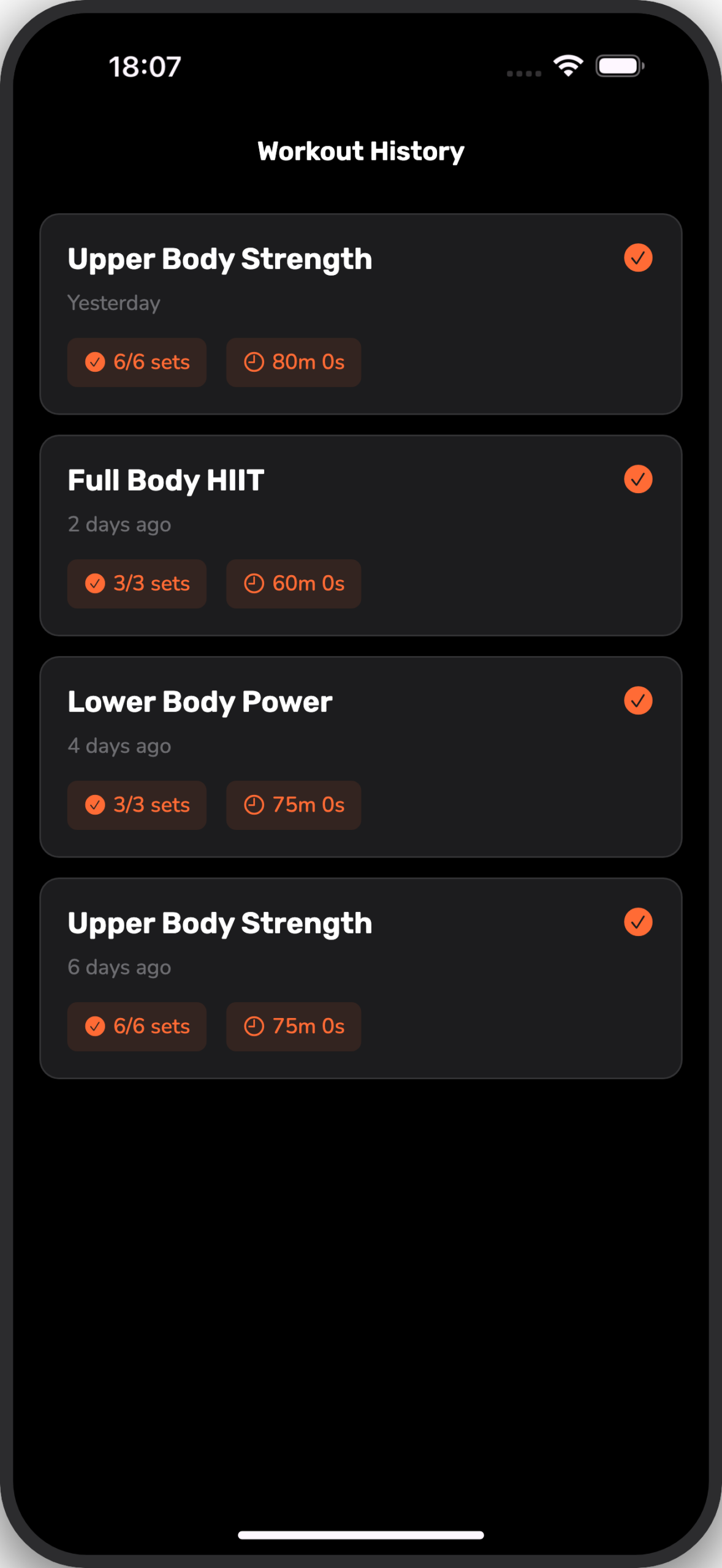
Step 4: Analyze Your History
Consistency is key. The History tab keeps a permanent record of every session. You can look back at workouts from months ago to see how far you have come.
Real-World Use Cases
The Progressive Overload Pro
The Situation: You are following a strength program like our Full Body Routine. You need to know exactly what you lifted last week to ensure you add weight today.
How It Helps: Body Journey pre-fills your previous performance. You sit down at the bench, see you did 135 lbs for 8 reps last time, and know exactly what to aim for today (140 lbs or 9 reps).
The Result: Consistent strength gains without the guesswork.
The Flexible Athlete
The Situation: The gym is packed and the squat rack is taken. You cannot follow your plan exactly.
How It Helps: You easily swap “Barbell Squat” for “Leg Press” in the app on the fly. Your volume is still tracked, and your session isn’t ruined.
The Result: You get a great workout despite the crowd.
Pro Tips for Power Users
Tip #1: Use RPE Tracking
Not every set needs to be to failure. Use the RPE (Rate of Perceived Exertion) slider to mark how many reps you had in reserve. This helps you manage fatigue over time.
Tip #2: Combine with Visuals
Data is great, but visuals are powerful. Pair your workout logs with Progress Photos to see how your strength gains translate to physical changes.
Tip #3: Rest Timer
Enable the auto-rest timer in settings. It keeps you honest and ensures your workouts do not drag on for two hours.
Start Your Journey Today
The best time to start tracking was yesterday. The second best time is now. Body Journey gives you the tools to take control of your fitness, from visual progress to detailed strength metrics.
Body Journey is out now on iOS. Join thousands of others who are transforming their lives one rep at a time.